
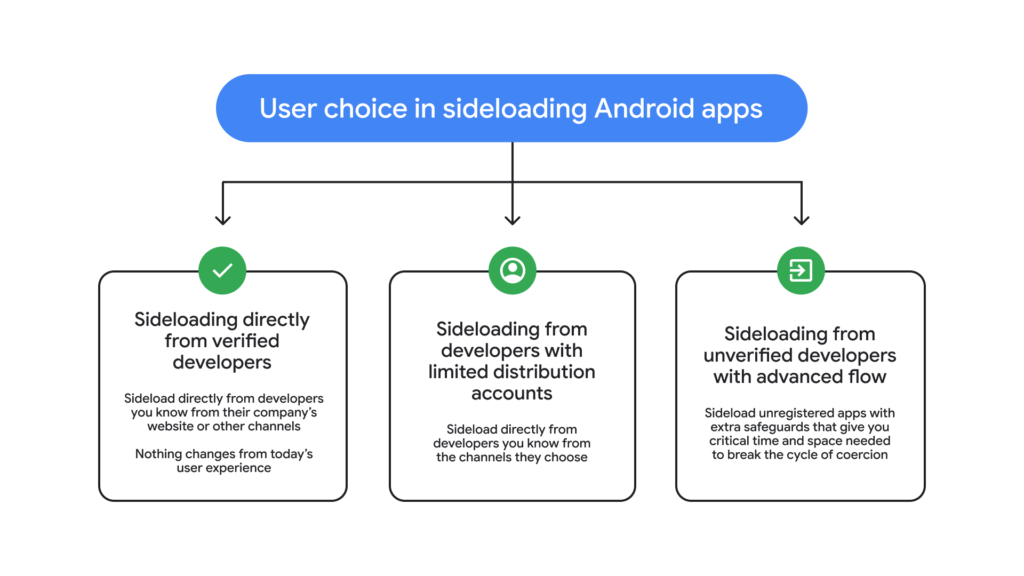
In a bold move balancing user freedom and ironclad security, Android is rolling out an “advanced flow” for power users who want to sideload apps from unverified developers.
This feature addresses a key tension in mobile ecosystems: how to empower tech-savvy individuals to take calculated risks without exposing average users to rampant scams. Coming ahead of stricter developer verification rules in August 2026, it’s a win for Android’s open ethos while fortifying defenses against sophisticated social engineering attacks.
Android has long championed choice, but recent updates first teased in August 2025 aim to curb malicious app distribution.
Power users, including developers and tinkerers, have voiced concerns about overly restrictive barriers. Google’s response? A thoughtfully designed one-time process that lets you bypass warnings deliberately, but only after safeguards thwart scammers’ high-pressure tactics.
Cybercriminals thrive on coercion, using phone calls to threaten financial doom, legal woes, or even harm to family members. Victims, gripped by urgency, rush to turn off protections.
A 2025 Global Anti-Scam Alliance (GASA) report paints a grim picture: 57% of adults worldwide were victims of scams last year, with total losses of $442 billion. These aren’t crude phishing emails; they’re live, coached sessions exploiting fear.
Android’s advanced flow disrupts this cycle, buying users precious time to pause and verify. It’s a prime example of proactive threat intelligence: recognizing social engineering as a vector on par with malware, then engineering behavioral nudges to counter it.
Step-by-Step: How the Advanced Flow Protects Power Users
The process is deliberate, multi-layered, and user-friendly, perfect for cybersecurity pros testing sideloaded tools without full lockdowns. Here’s how it unfolds:
- Enable Developer Mode: Head to system settings and toggle it on, as outlined in Android’s official guide. This avoids “one-tap” scams that exploit quick bypasses.
- Confirm No Coercion: A prompt checks whether you’re acting alone and whether no one’s pressuring you over the phone. It reminds you to vet apps yourself, a nod to informed risk-taking.
- Restart and Reauthenticate: Power cycle your device. This severs any scammer’s remote oversight or ongoing calls, resetting the environment.
- Wait and Biometrically Verify: Endure a one-day cooling-off period, then authenticate with fingerprint, face unlock, or PIN. Urgency is the scammer’s weapon; this delay neutralizes it.
- Install with Awareness: Post-verification, sideload for 7 days or indefinitely. Warnings persist for unverified apps, but you can tap “Install Anyway” confidently.
Once set, it’s seamless for ongoing use, preserving Android’s flexibility for modders, researchers, and enterprises deploying custom apps.
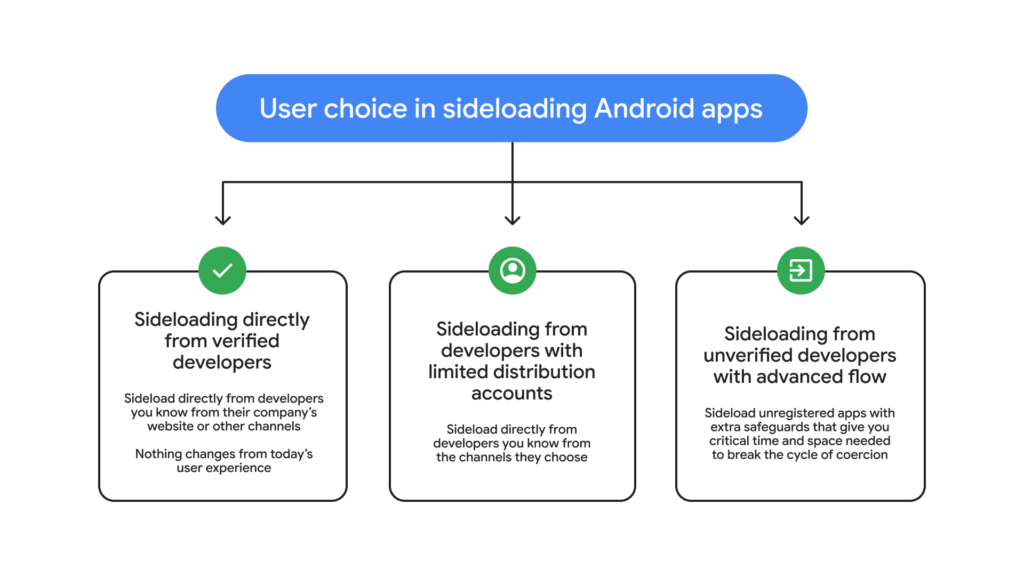
Google isn’t stopping at users. To avoid gatekeeping innovation, they’re launching free “limited distribution accounts” for students and hobbyists. Share apps with up to 20 devices, no ID or fees required. This lowers barriers for experimentation while verified paths remain for broader releases.
Both features launch in August 2026, preempting mandatory developer verification. It’s a nuanced ecosystem play: robust for the masses, liberated for experts.
Implications for Cybersecurity Landscape
This update signals Android’s evolution in threat mitigation. By layering technical and psychological defenses, it reduces scam success rates, potentially saving billions. For threat hunters, it’s a model: anticipate attacker TTPs (tactics, techniques, procedures) like live coercion and build friction accordingly.
Power users get freedom; everyone gets safety. Android proves that openness and security aren’t mutually exclusive, reinforcing why it dominates 70%+ of global mobile OS share.
Site: cybersecuritypath.com
About the Author